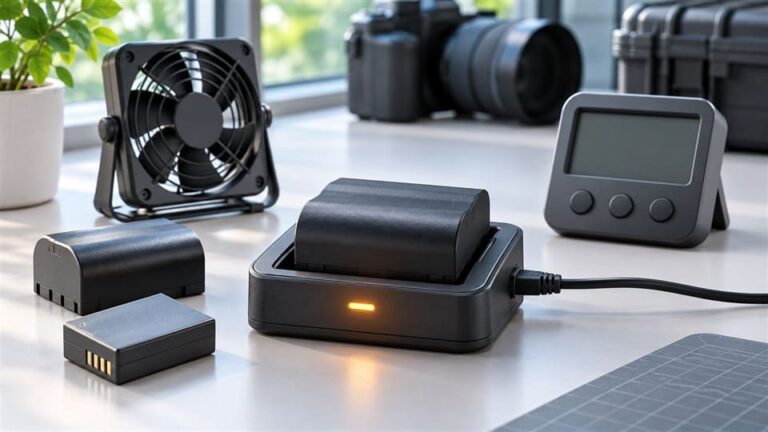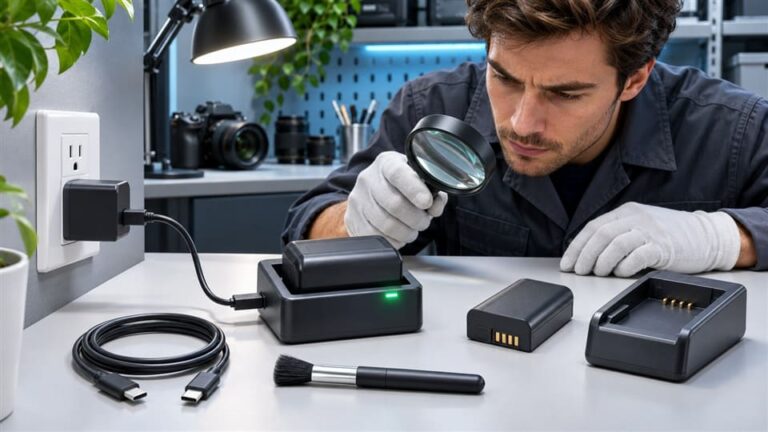
How to Tell If Your Camera Battery Charger Is Working Properly
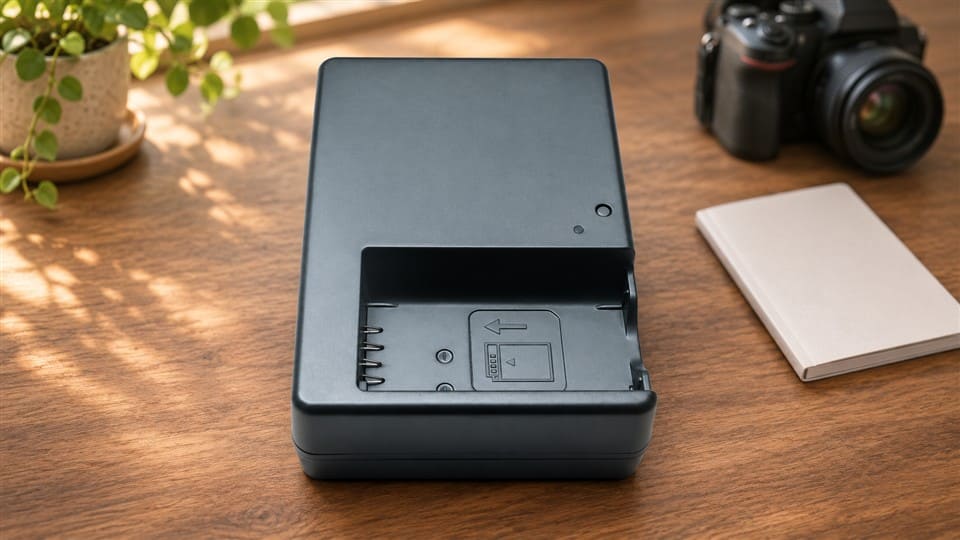
A camera battery charger can look simple, but a charging problem can waste time fast. The light may not turn on, the battery may stay empty, or the charger may feel unusual. Before you blame one part, I recommend a safer step-by-step check to separate charger, battery, power, and contact issues.
A camera battery charger is probably working properly if it powers on normally, fits the correct battery model, charges without abnormal heat or smell, and gives a normal full-charge signal within a reasonable time. However, the indicator light alone is not enough proof. You should also check the power source, battery contacts, battery condition, and safety signs.

In my daily work selling camera chargers and batteries to retailers, I see one common mistake: many users assume “no light” always means “broken charger.” Sometimes it does. But many times, the real issue is the cable, adapter, outlet, battery contacts, or battery itself.
How Can You Check a Camera Battery Charger Safely First?
A camera battery charger should always be checked from the safest and simplest points first. If you skip the basics, you may replace a good charger or keep using a risky one. A few quick checks can save money and prevent damage.
The safest first checks are the wall outlet or USB power source, cable, adapter, battery placement, contact cleanliness, and battery model compatibility. If any of these points fail, the charger may not start charging even if the charger itself is still good.

Start with the power source
I always tell customers to begin with the power source because it is the easiest thing to test. A charger cannot work if the input power is weak, unstable, or missing.1
Check these points first:
-
Try another wall outlet.
A loose socket or switched-off extension board can cause a “dead charger” impression. -
Check the USB adapter if your charger uses USB input.
Some camera battery chargers need a stable 5V/2A or similar input. A very weak phone adapter may not charge properly. -
Change the cable if the charger uses a removable cable.
In many after-sales cases, the cable is the problem, not the charger. -
Avoid unstable power strips.
In some markets, voltage fluctuation is common.2 A poor-quality power strip can interrupt charging.
Confirm correct battery placement
Camera batteries must sit firmly against the charger terminals. If the battery is slightly misaligned, the charger may show no light, a blinking light, or no charging progress.
Look for:
- Battery inserted in the correct direction
- Battery pushed fully into the charging slot
- No plastic film or packaging left on the battery
- No gap between battery terminals and charger pins
Check battery compatibility
This point matters a lot for retailers. Many batteries look similar, but the contact layout, voltage, and chip design may be different.3
| Check Point | Why It Matters |
|---|---|
| Battery model number | Confirms physical and electrical match |
| Voltage rating | Prevents unsafe or failed charging |
| Contact position | Allows proper connection |
| Charger label | Shows supported models |
| Brand or compatible code | Helps avoid mismatch |
For example, a charger for one camera battery series may not work with another similar-looking pack. So I suggest checking the label on the charger and the model code on the battery before making a judgment.
Clean the contact points
Dirty contact points are a small issue, but they cause many big misunderstandings. Dust, oil, oxidation, and moisture can block a good connection.
You can gently wipe the battery contacts and charger pins with a dry, clean cloth. Do not use water. Do not scrape the metal contacts with sharp tools. If you see heavy corrosion, stop using the charger or battery until someone qualified checks it.
My rule is simple: if the charger only works when you press or shake the battery, something is not right. It may be poor contact, loose terminals, or a worn battery case.
What Do Camera Battery Charger Indicator Lights Really Mean?
A camera battery charger indicator light is useful, but it is only a clue. It should not be the only diagnostic standard. Different charger designs use different light rules, so the same red, green, blinking, or no-light condition can mean different things.
Indicator lights usually show power, charging, full charge, poor contact, or fault status. However, no light does not always mean charger failure, and a steady light does not always prove the battery is charging correctly. You should read the charger instructions and cross-check with another battery or power source.

Common indicator light patterns
Most users ask about three situations:
- No light
- Blinking light
- Steady red or green light
These signs are helpful, but they need context.
| Indicator Behavior | Possible Meaning | What to Check Next |
|---|---|---|
| No light | No power, bad cable, poor contact, wrong battery, charger fault | Outlet, adapter, cable, battery placement |
| Blinking light | Charging, error, poor contact, abnormal battery | Manual, contacts, battery condition |
| Steady red | Charging on many models | Wait and observe temperature |
| Steady green | Full charge on many models | Test battery in camera |
| Light changes too fast | Battery may be full, aged, or not detected correctly | Try another compatible battery |
Why “no light” is not final proof
In my after-sales conversations, “no light” is probably the most common complaint. But I have seen many cases where the charger was not the root cause.
For example:
- The USB cable was damaged.
- The adapter output was too weak.
- The battery was inserted backward.
- The battery contacts were dirty.
- The battery was deeply discharged or defective.
- The charger did not support that battery model.
So, if your camera battery charger shows no light, do not rush to replace it immediately. Try a known-good outlet and cable first. Then remove and reinsert the battery. If possible, test another compatible battery.
Why “green light” can also mislead you
A green light often means “fully charged,” but not always. On some simple chargers, green may mean standby mode. If the battery is not properly detected, the charger may stay green because it is not charging at all.
A good practical test is to put the battery into the camera after charging. If the camera still shows low power, the issue may be:
- Weak or aged battery cells
- Poor charger detection
- Bad contact between charger and battery
- Wrong charger type
- Camera battery meter calibration issue
For retailers, I suggest keeping one or two known-good test batteries and chargers. This makes customer support much easier. You do not need laboratory equipment for basic screening, but you do need a consistent comparison method.
How Can You Tell Whether the Camera Battery Charger, Battery, or Power Source Is the Problem?
A camera battery charger is only one part of the charging chain. If the battery does not charge, the problem may come from the charger, battery, cable, adapter, wall outlet, or contact points. A simple cross-check process gives a clearer answer.
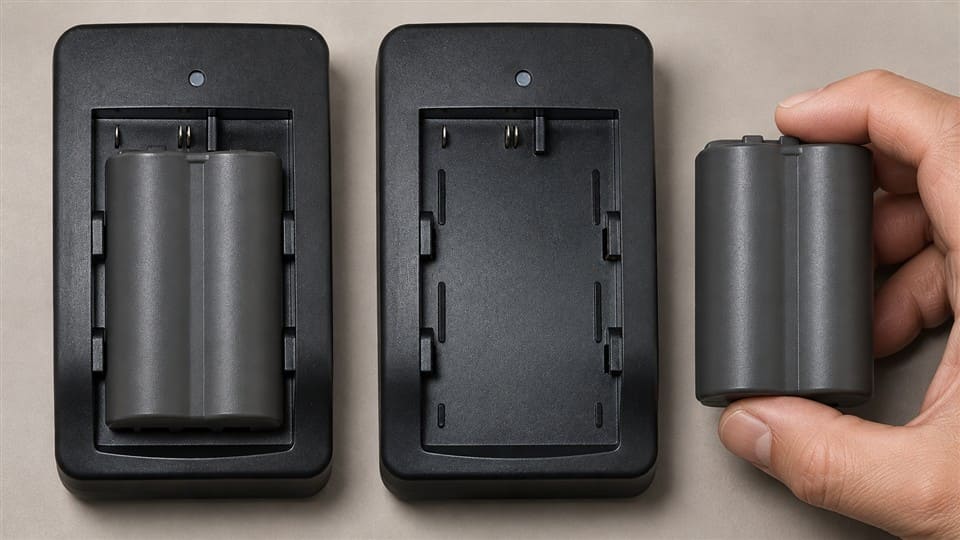
To narrow down the cause, test one variable at a time. Try the same battery on another compatible charger, then try another compatible battery on the same charger. If multiple good batteries fail in one charger, the charger is more suspicious. If one battery fails everywhere, the battery is more suspicious.
Use a simple cross-check method
The best practical method is not guessing. It is comparison.
Use this sequence:
-
Test the outlet or USB adapter with another device.
This confirms the power source works. -
Use another cable if the charger has a removable cable.
Many charging failures come from cables. -
Try another compatible battery in the same charger.
If the second battery charges normally, the first battery may be the issue. -
Try the same battery in another compatible charger.
If it charges there, your original charger may be faulty or incompatible. -
Observe whether the problem repeats.
A one-time issue may be contact-related. Repeated failure is more serious.
Understand the likely results
| Test Result | Likely Direction |
|---|---|
| No batteries charge in the charger | Charger, cable, adapter, or power input issue |
| One battery fails in all chargers | Battery issue |
| Charger works only with pressure on battery | Loose contact or worn slot |
| Charger gets hot with different batteries | Stop use and replace or inspect |
| Battery charges but drains quickly | Battery aging is likely |
Watch the charging time
Charging time also gives clues. Many camera batteries take around 1.5 to 4 hours depending on capacity, charger output, and battery condition. A very small action camera battery may charge faster. A larger DSLR or mirrorless battery may take longer.
But charging time should be reasonable. If a battery stays “charging” for too many hours with no change, something may be wrong. If the charger shows “full” in only a few minutes, but the battery dies quickly, the battery may be aged or not truly charged.
Consider battery age
Rechargeable lithium-ion camera batteries do not last forever. Many users blame the charger when the battery is simply old. Battery performance can drop after many charge cycles, long storage, high heat, or deep discharge.4
Signs of a weak battery include:
- Camera turns off quickly
- Battery percentage drops suddenly
- Battery charges too fast
- Battery becomes slightly swollen
- Battery only works for a short time after full charge
If you see swelling or deformation, stop using the battery. Do not try to “force charge” it.
As a source supplier, I also remind retailers to separate customer returns into charger issues and battery issues. This keeps after-sales service fair and avoids unnecessary replacement costs.
When Should You Stop Using a Camera Battery Charger Immediately?
A camera battery charger should be stopped immediately when it shows clear safety warning signs. Basic troubleshooting is useful, but safety comes first. If you see heat, smell, deformation, burn marks, water damage, corrosion, or loose terminals, do not keep testing casually.
You should stop using the charger if it becomes abnormally hot, smells burnt, has melted plastic, shows black marks, has water damage, has corrosion, or behaves abnormally again and again. In these cases, replace it or ask a qualified professional or supplier for help.
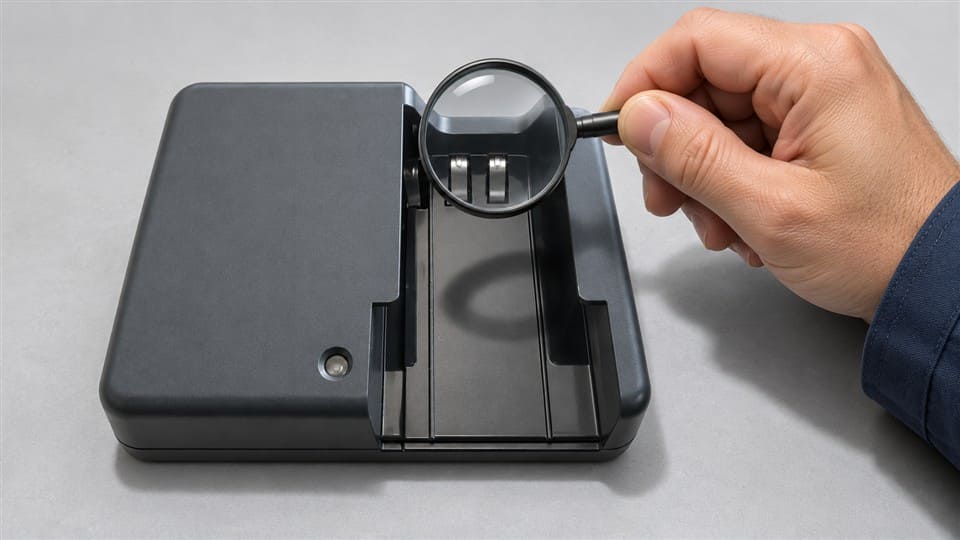
Do not ignore abnormal heat
Some warmth during charging can be normal. But strong heat is different. If the charger is too hot to touch comfortably, unplug it. Do not cover it with cloth, paper, or camera bags during use.
Heat can come from:
- Poor internal components
- Wrong adapter voltage or current
- Bad battery condition
- Short circuit risk
- Dirty or loose contacts
- Poor ventilation
Stop if you smell burning
A burning smell is not a normal charging sign. I would not continue testing a charger with this symptom. Unplug it from the power source and keep it away from flammable items.
The same rule applies to:
- Melted plastic
- Smoke
- Crackling sound
- Dark burn marks
- Discolored charger housing
Be careful with water damage and corrosion
Many camera users travel, shoot outdoors, and work in humid areas. Moisture can enter chargers and batteries. In coastal regions or rainy seasons, corrosion becomes more common.
If the metal pins look green, white, rusty, or powdery, the connection may be unsafe. Cleaning light dust is fine. But heavy corrosion is different. It may need replacement or qualified inspection.
Check for loose terminals
Loose terminals can cause intermittent charging. The charger may work one day and fail the next. It may also blink randomly when the battery moves.
Stop using or replace the charger if:
- The battery does not sit firmly
- Pins are bent or missing
- Charging starts only when pressure is applied
- The light flickers when the charger is touched
- The charger housing is cracked
My practical safety rule
I use one simple rule when advising customers:
If the charger shows a safety sign, stop testing.5 If it only shows a performance issue, troubleshoot step by step.
A performance issue may be no light, slow charging, or no full-charge signal. A safety issue is heat, smell, smoke, deformation, burn marks, water damage, corrosion, or loose electrical contact. Safety issues should not be ignored to save a small cost.
Frequently Asked Questions
Can a camera battery charger show a light but still not charge?
Yes. A light can show power or standby status, but it may not prove real charging. The battery may have poor contact, be incompatible, or be too old. Try another compatible battery and check whether the battery works in the camera after charging.
Does no light always mean my camera battery charger is broken?
No. No light can also mean a bad outlet, weak adapter, damaged cable, wrong battery placement, dirty contacts, or incompatible battery model. Test the power source and cable first. Then try another compatible battery if you have one.
Is it normal for a camera battery charger to get warm?
Slight warmth can be normal during charging. Strong heat is not normal. If the charger becomes too hot to touch, smells burnt, changes shape, or shows marks, unplug it and stop using it.
How long should a camera battery take to charge?
Many camera batteries take about 1.5 to 4 hours, depending on battery capacity and charger output. If charging finishes in minutes but the battery drains quickly, the battery may be aged. If charging never finishes, check the battery, charger, and power source.
Should I replace the battery or the charger first?
Do not guess too quickly. Test another compatible battery in the same charger and test the same battery in another compatible charger. If one battery fails everywhere, replace the battery. If several batteries fail in one charger, the charger is more likely the issue.
Conclusion
A camera battery charger is working properly when it charges the correct battery safely, consistently, and without abnormal heat, smell, damage, or repeated errors. The indicator light helps, but it is not the full answer. I recommend checking the power source, cable, contacts, battery fit, and battery condition before replacing anything. If you are a retailer or distributor looking for reliable camera batteries and chargers from a source factory, I can help you match models and compare practical options for your market.
-
"Battery Charger System Test Procedure_V2_2", https://www.energy.ca.gov/sites/default/files/2021-05/BatteryChargerSystemTestProcedure_V2_2_ADA.pdf. Battery chargers require a stable and sufficient input power supply to function correctly. Insufficient or unstable power can prevent the charger from operating as intended, as noted in technical guidelines for electronic devices. Evidence role: mechanism; source type: education. Supports: Explains how weak, unstable, or missing input power can prevent a charger from functioning.. ↩
-
"Unreliable Electricity in Developing Countries", https://openknowledge.worldbank.org/bitstreams/d4006b2c-db0b-4bba-9d78-3568ea90fae0/download. Voltage fluctuations are a common issue in many developing countries due to aging infrastructure, high demand, and inconsistent power supply. Evidence role: statistic; source type: research. Supports: Provides data or examples of markets where voltage fluctuation is a common issue.. Scope note: The prevalence of voltage fluctuations may vary significantly between regions and specific localities. ↩
-
"List of battery sizes", https://en.wikipedia.org/wiki/List_of_battery_sizes. Camera batteries often differ in contact layout, voltage, and chip design, which ensures compatibility with specific devices and prevents potential damage from mismatched batteries. Evidence role: mechanism; source type: education. Supports: Explains how differences in contact layout, voltage, and chip design make camera batteries non-interchangeable.. Scope note: Specific differences depend on the battery models and manufacturers. ↩
-
"A study of the factors that affect lithium ion battery …", https://mospace.umsystem.edu/items/ef7ee8e2-85fa-4330-a421-1fcd9376a835. Lithium-ion battery performance can degrade due to repeated charge cycles, prolonged storage, exposure to high temperatures, and deep discharge, as supported by battery aging studies. Evidence role: mechanism; source type: research. Supports: Explains how charge cycles, storage, heat, and deep discharge impact lithium-ion battery performance.. Scope note: The degree of performance degradation varies with specific battery chemistry and usage conditions. ↩
-
"Battery Safety | Environmental Health & Safety (EHS)", https://ehs.virginia.edu/Chemical-Safety/Battery-Safety. Safety guidelines for electronic devices recommend discontinuing use if a charger exhibits signs of overheating, burning smell, or physical damage to prevent potential hazards. Evidence role: expert_consensus; source type: government. Supports: Recommends stopping the use of battery chargers that show safety warning signs.. Scope note: Specific safety signs may vary depending on the device and manufacturer. ↩